How to Import from TradingView
Written by SureInsight Team
Updated April 2026
How to Import TradingView Paper Trading History
To import your trade data from TradingView into SureInsight, follow these simple steps:
Step 1: Export Trade Data from TradingView
Open Paper Trading or Live Trading
Login to your TradingView account and open any chart. At the bottom panel, click on "Paper Trading" or "Live Trading".

Select Export Columns
On the History table, click the three dots (⋮) on the right. Check all the boxes: Side, Type, Qty, Price, Fill Price, Status, Commission, Closing Time, Order ID.


Open the Export Menu
Click on the TradingView logo at the top-left of the trading panel for a dropdown menu.
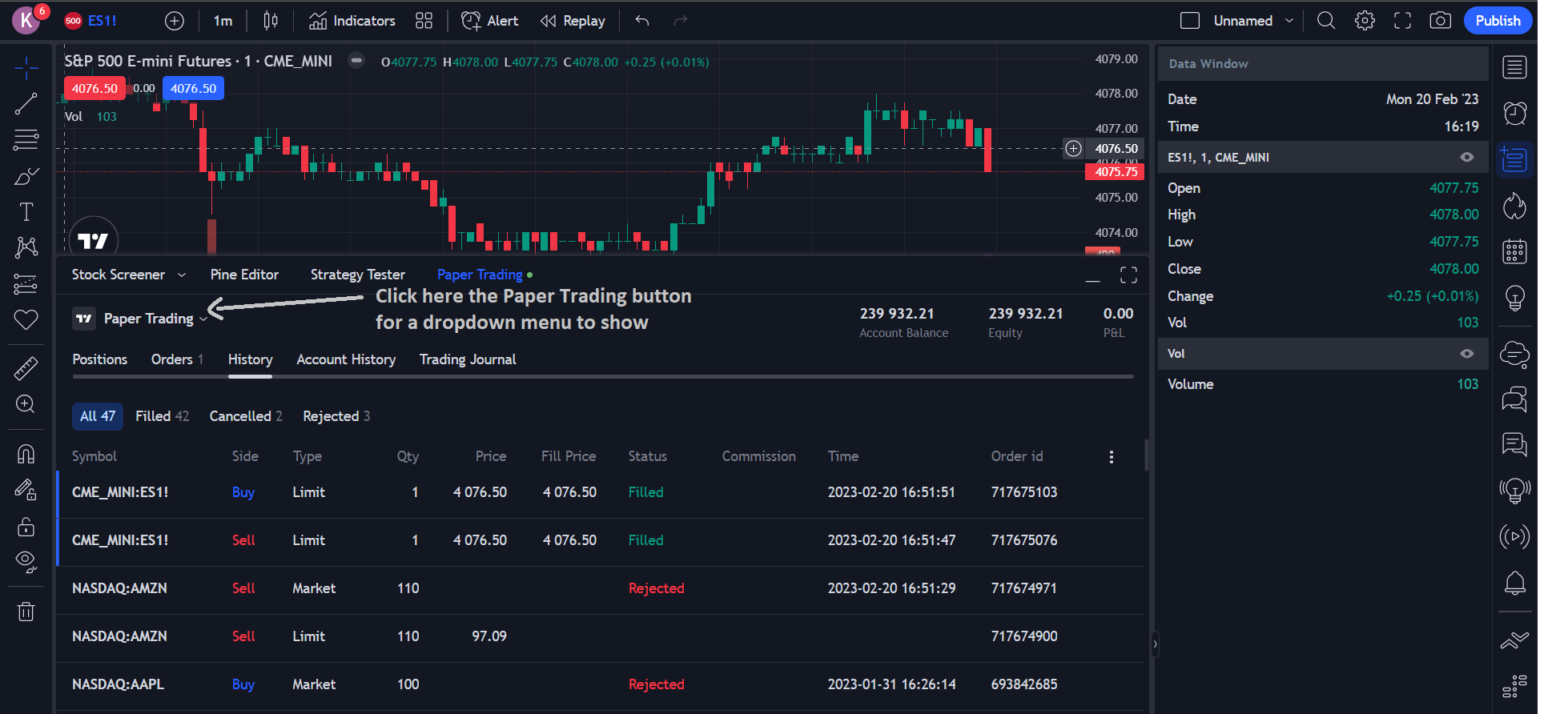
Select Export Data
Select "Export data" from the dropdown menu.

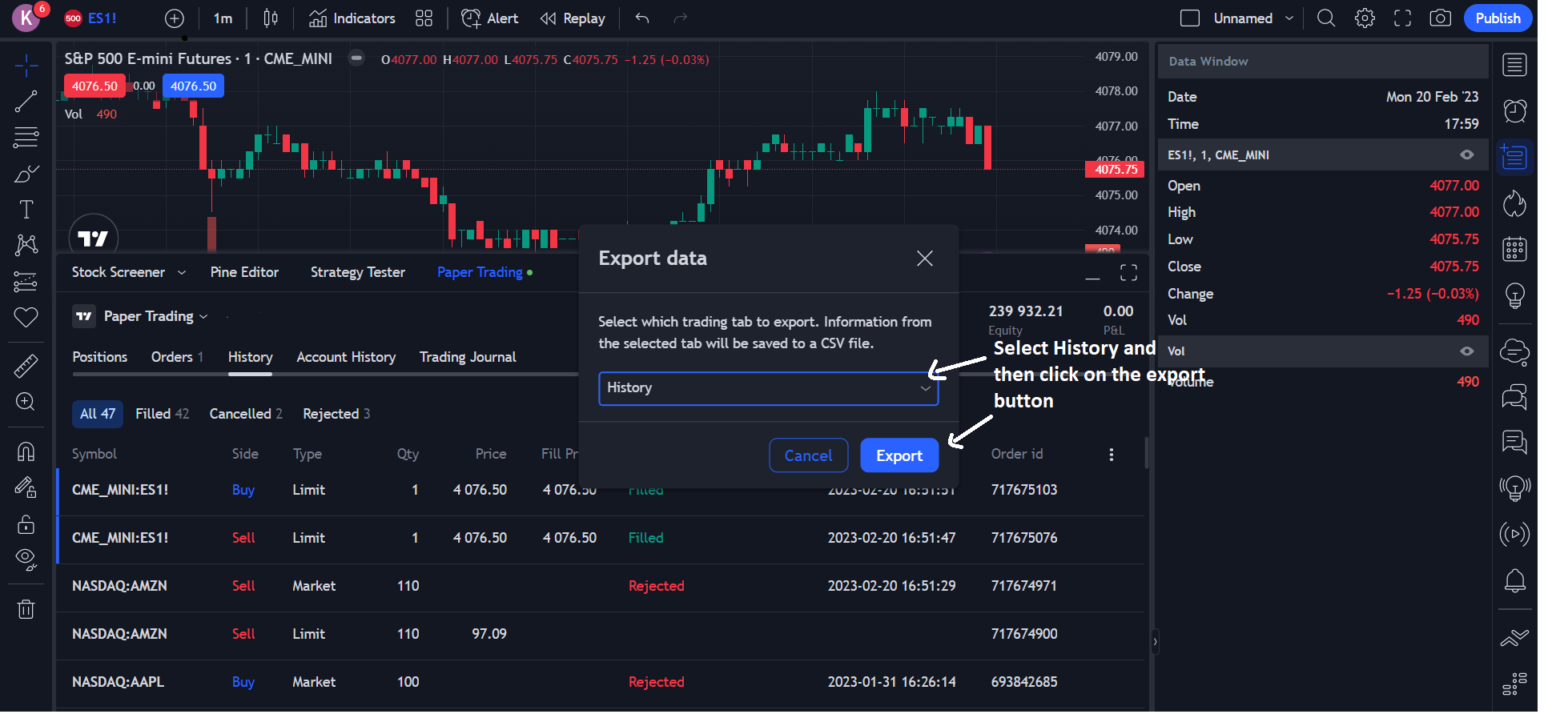
Export History
Select "History" and then click "Export". A CSV file will automatically be downloaded.
Step 2: Upload to SureInsight
Go to Add Trade → File Upload and upload the downloaded CSV file. SureInsight automatically detects the TradingView format.
How it works: TradingView exports all orders (filled, cancelled, rejected). SureInsight only imports filled orders and automatically pairs Buy and Sell orders to create complete trades.
✓ Supported: Paper Trading accounts, Live Trading accounts, Forex, and Futures.
Did this answer your question?