How to Import from cTrader
SI
Written by SureInsight Team
Updated April 2026
How to Export Trade Data from cTrader
Open cTrader Desktop Application
Open cTrader and locate the History tab in the bottom section.
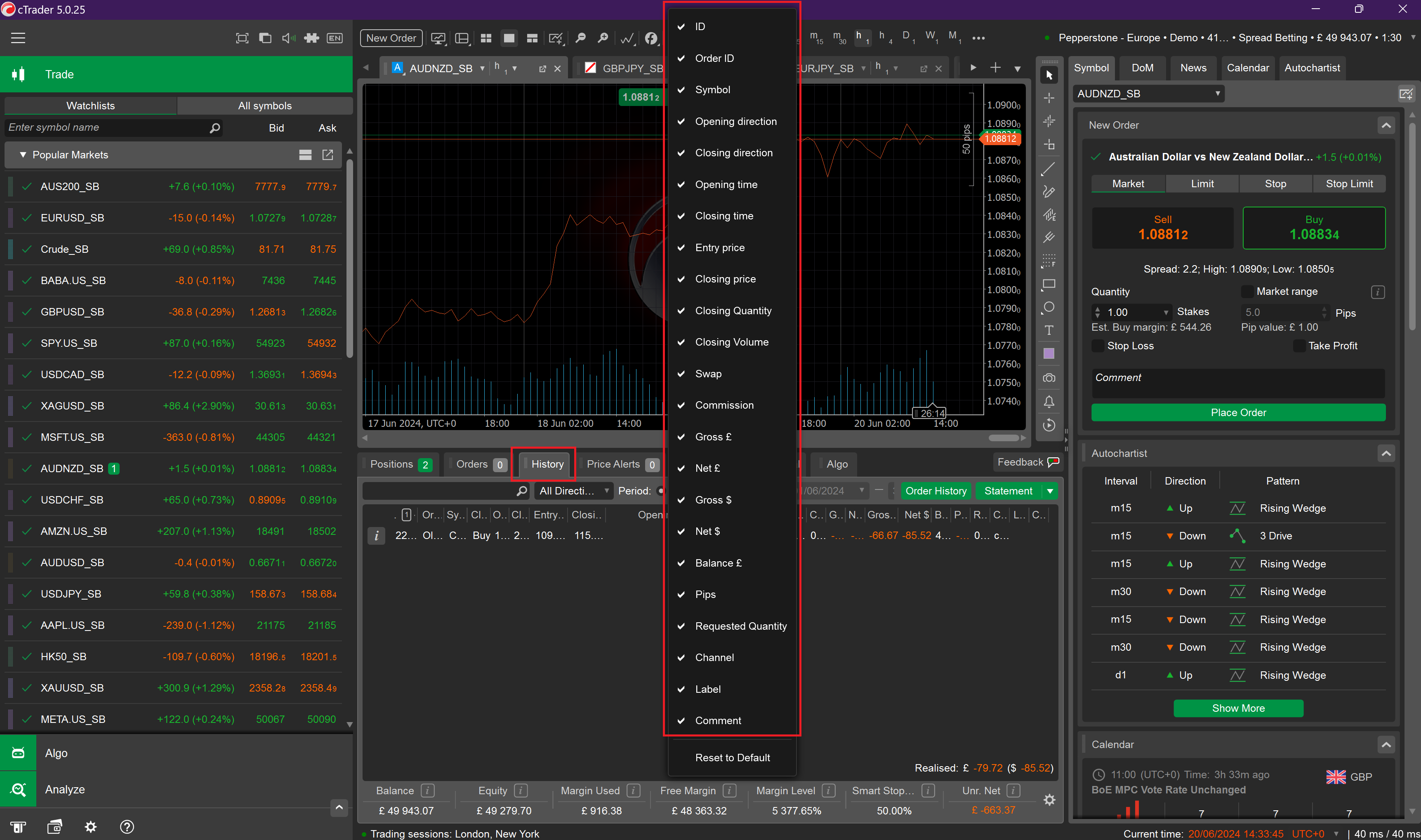
Select All Columns in History Tab
Right-click on the columns and ensure all available columns are selected.
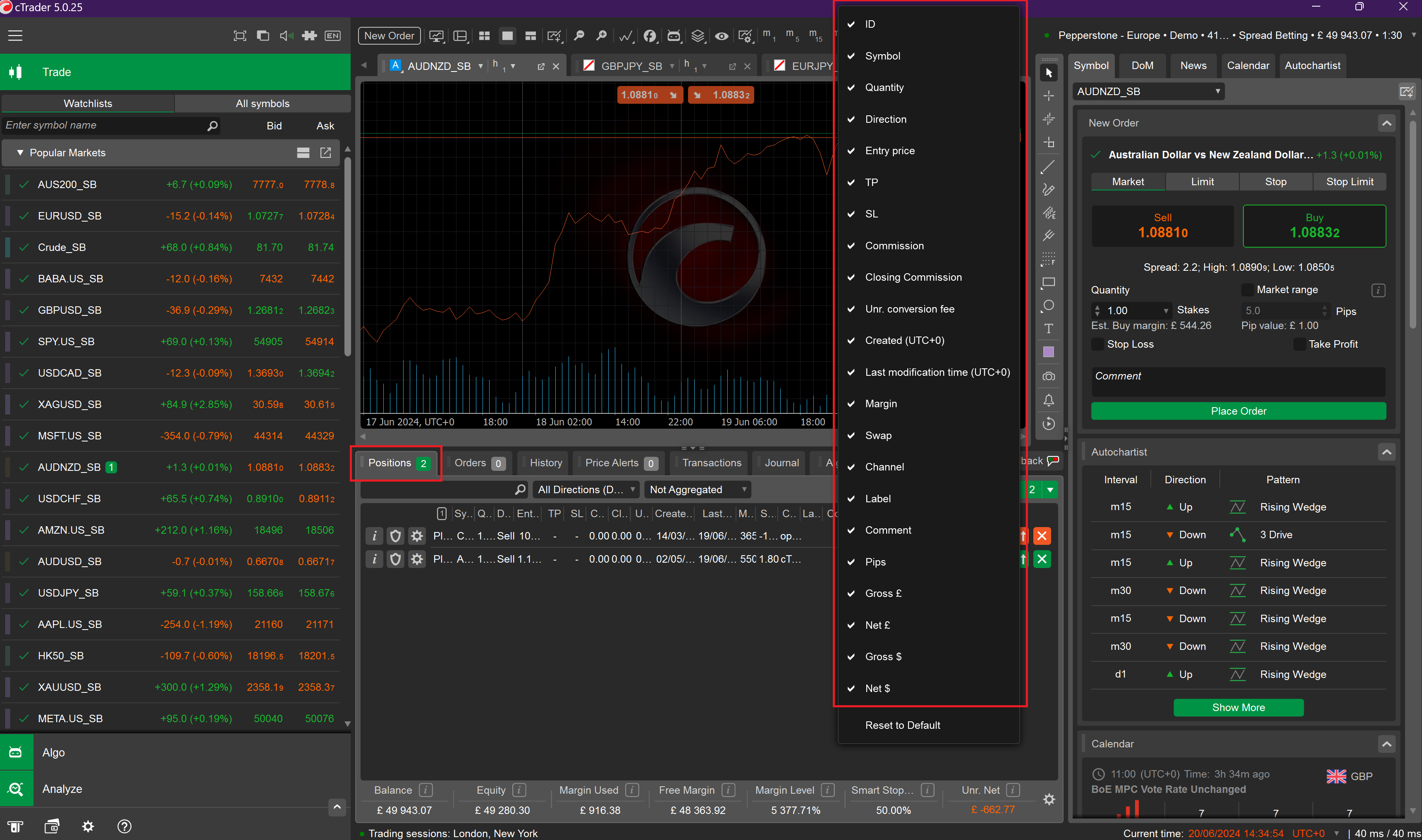
Select All Columns in Positions Tab
Navigate to the Positions tab and make sure all columns are selected here too.
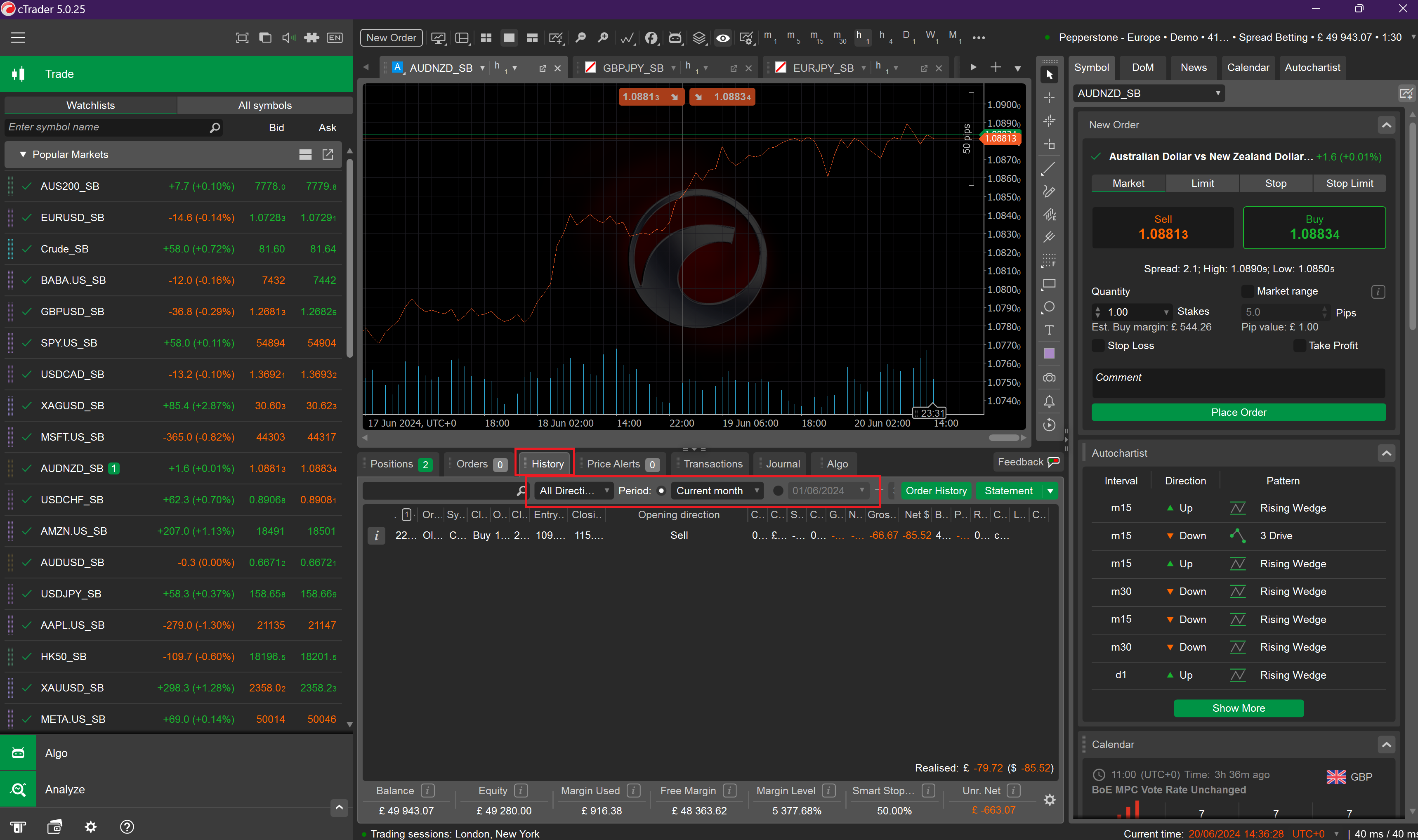
Set Date Range
Return to the History tab, select ALL HISTORY or a custom date range. Leave "All Directions" selected.
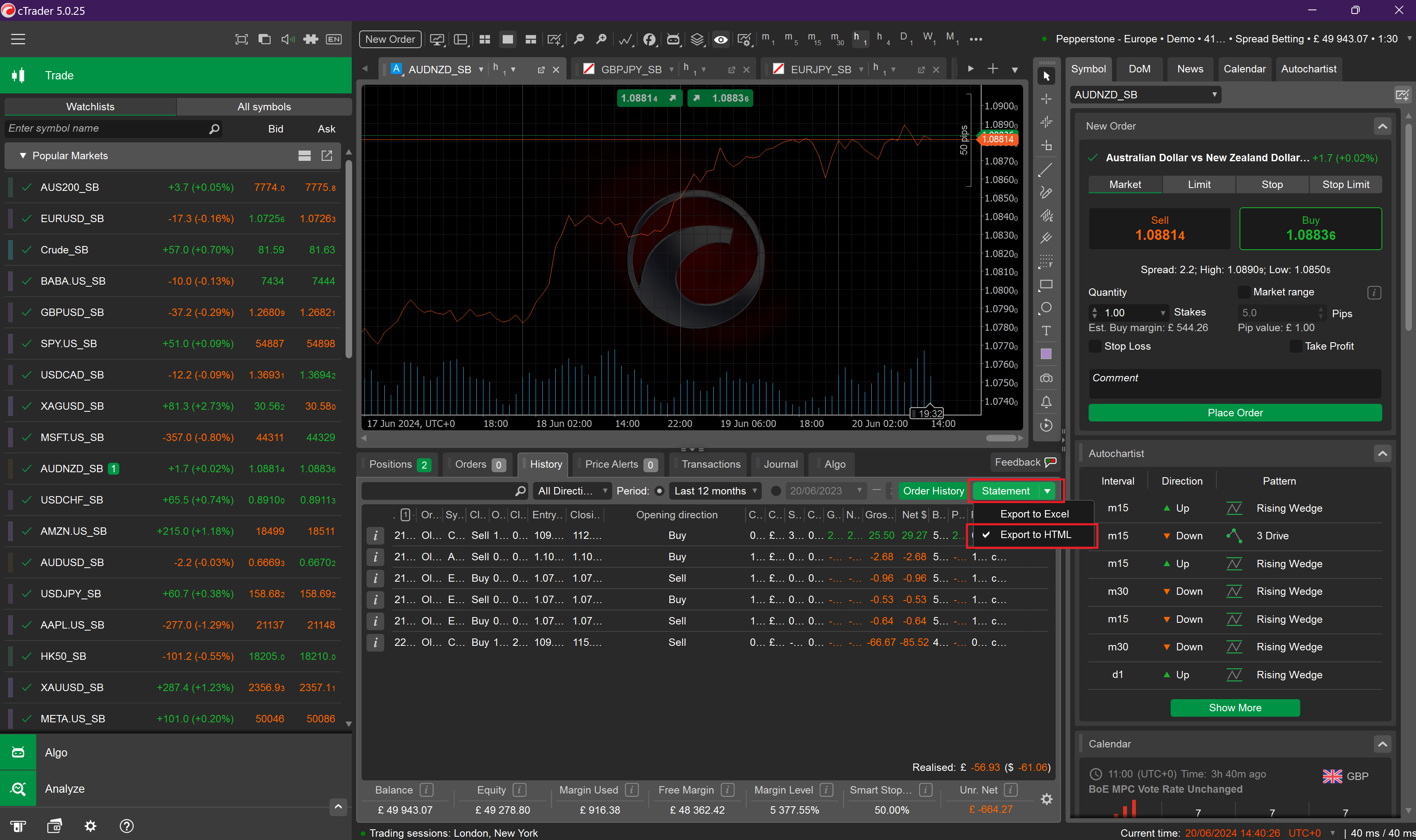
Export Statement as HTML
Click the green Statement button to download as HTML.
Step 2: Upload to SureInsight
- Go to Add Trade → File Upload
- Select or create your account
- Upload the HTML file
Did this answer your question?