How to Import from ProjectX & Prop Firms
SI
Written by SureInsight Team
Updated April 2026
How to Export Trade Data from ProjectX Prop Firms
Log in to Your Prop Firm Account
Log in to your ProjectX prop firm account (e.g., TickTickTrader, TradeDayX, e8markets, TopStep, Apex).
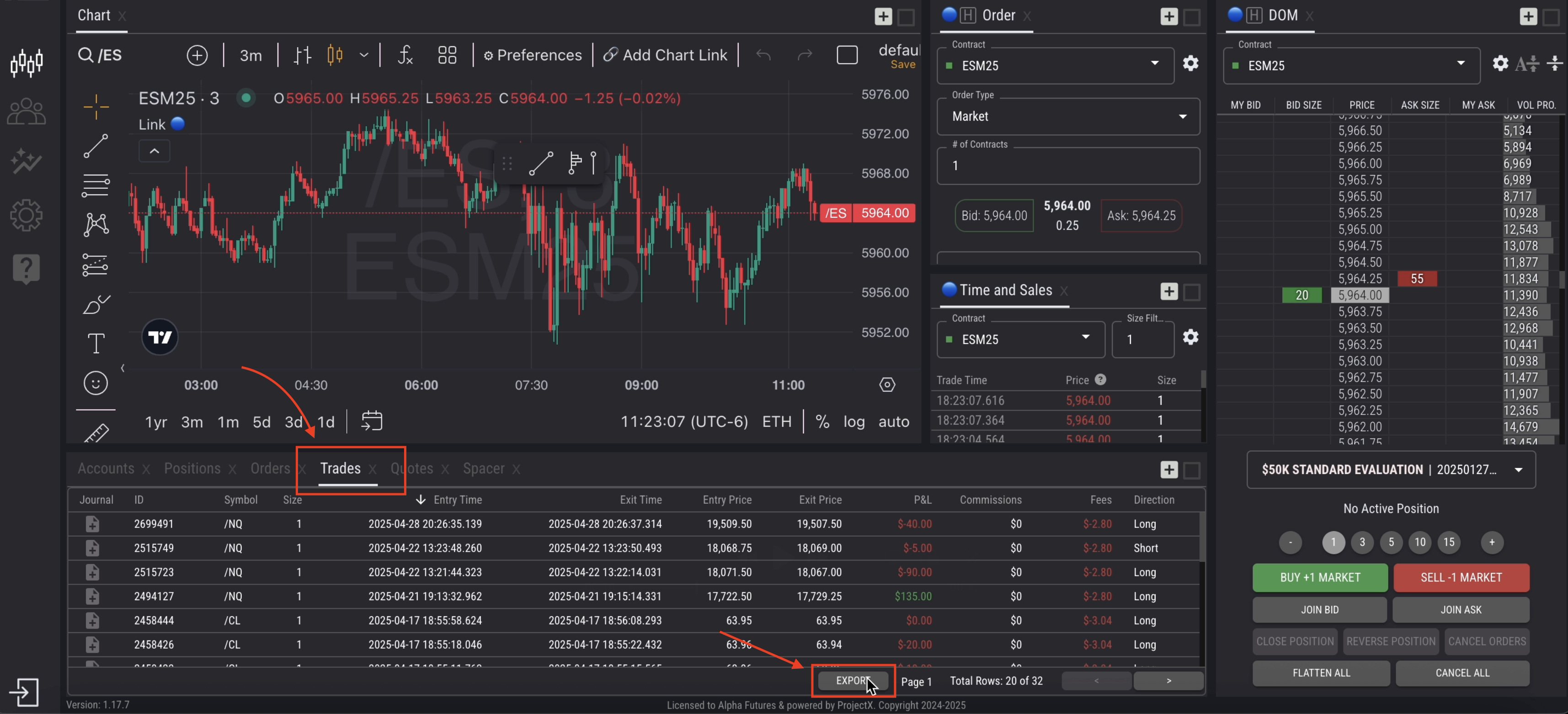
Navigate to the "Trades" Tab
Go to the Trades tab in your dashboard.
Export Your Trades
Click the EXPORT button in the bottom right corner. Select the date range and click Export.
Save the CSV File
Save the exported CSV to your desktop.
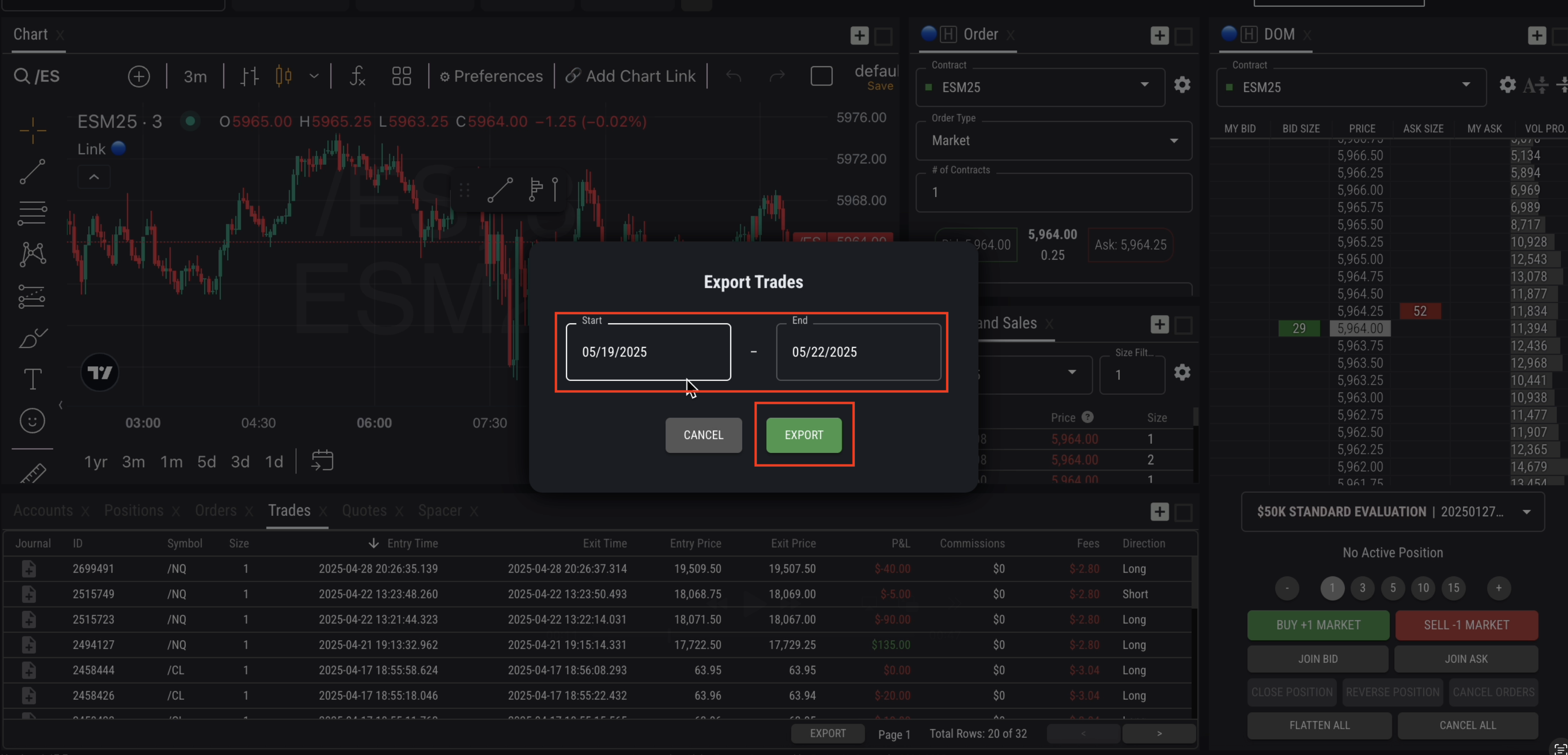
Tip: If the file appears blank, try widening your date range — start one day before your first trade.
Note: Prop firm exports usually don't include deposits. Add your initial funding manually via the Transactions tab.
Did this answer your question?