How to Import from NinjaTrader
SI
Written by SureInsight Team
Updated April 2026
How to Export Trade Data from NinjaTrader
For NinjaTrader 7
- Access Account Performance: In NinjaTrader's Control Center, navigate to the Account Performance tab.
- Generate Performance History: Generate a performance history, then switch to the Executions tab.
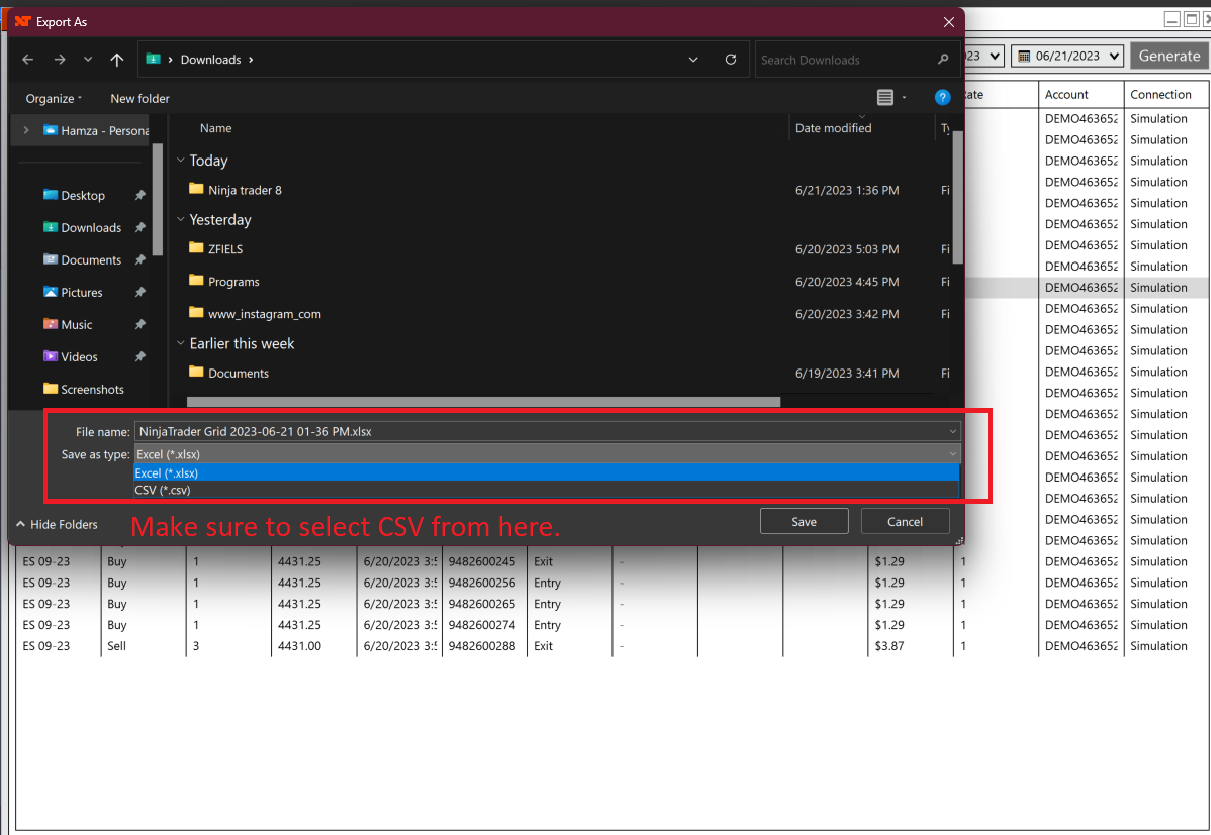
- Export Executions: Export the file into CSV format before uploading to SureInsight.
For NinjaTrader 8 (Latest)
Open Trade Performance Window
In the Control Center, go to Trade Performance.

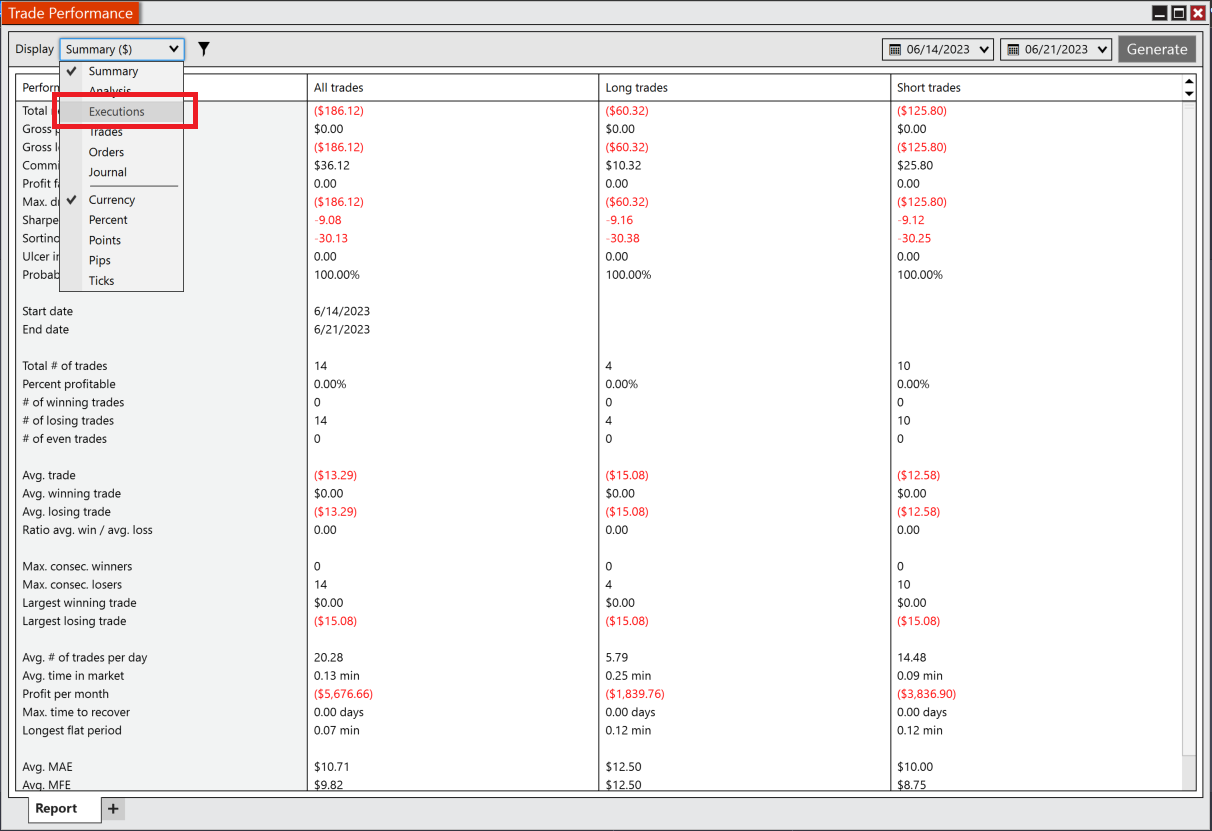
Select Executions Display
Click the Display dropdown and select 'Executions.'
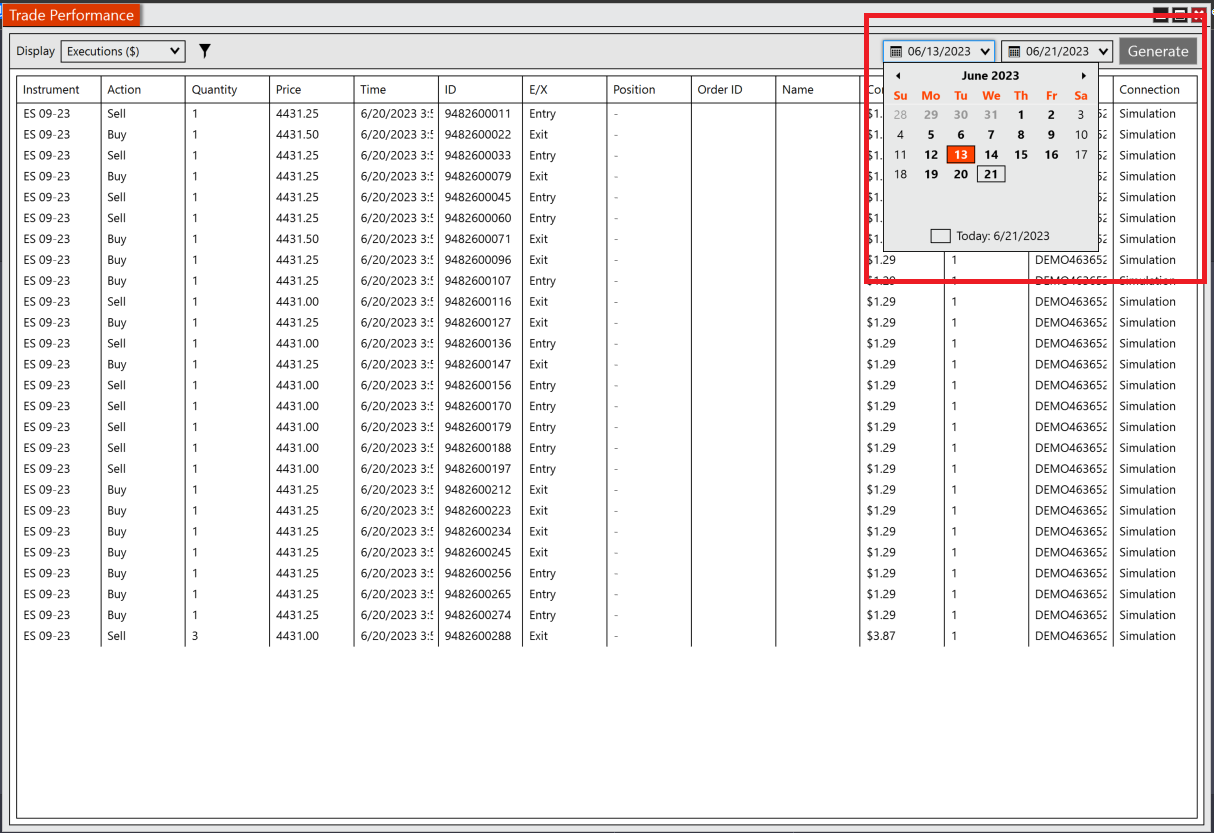
Set Date Range and Generate
Set the desired date range and click Generate.
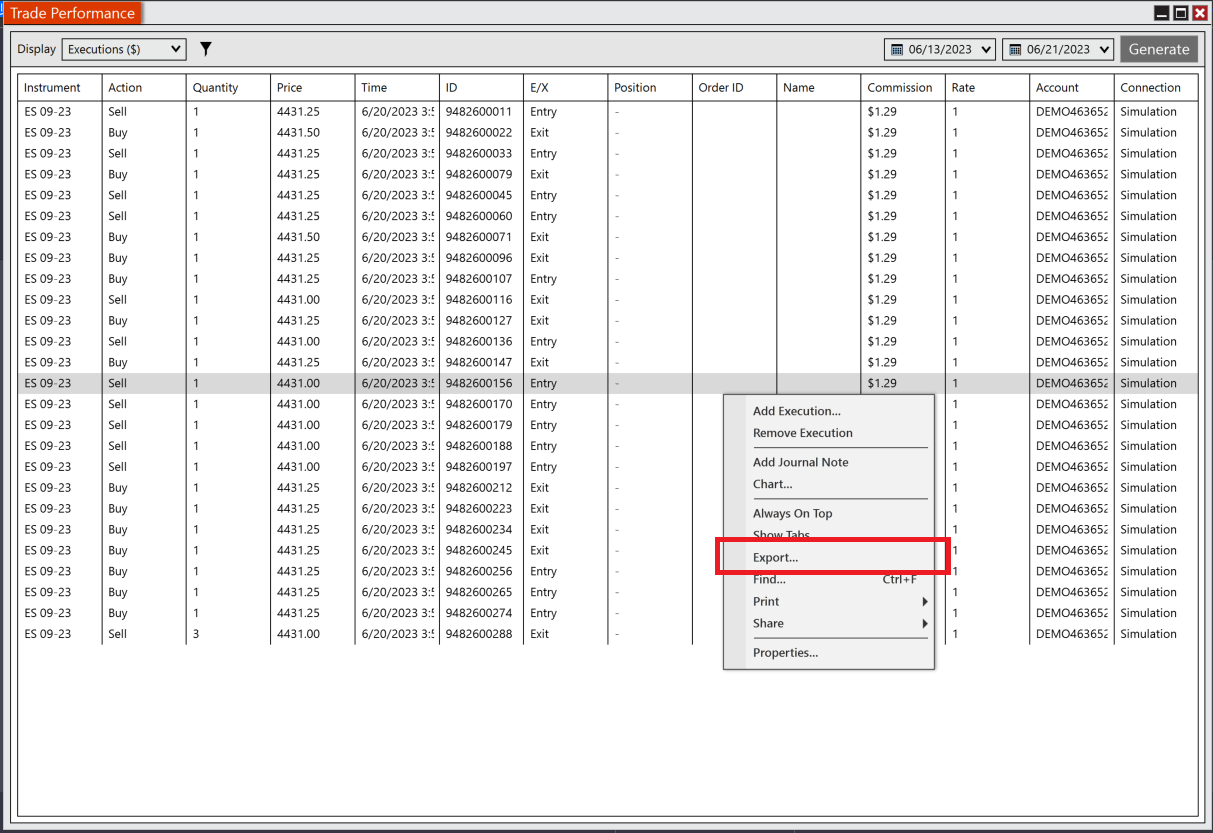
Export as CSV
Right-click anywhere → Export → Save as CSV.
Note: SureInsight is an official NinjaTrader vendor — seamless import compatibility guaranteed.
Did this answer your question?